






DAC 2004 MkII

We created the best possible sound we could, and then added options as far as that was possible without compromising the base solution which was distilled from all known solutions to be best. We went through them all as depicted on these pages.
The discussion does not lend itself well to extreme simplification, and therefore please bear with us while we do our best to explain all the ins and outs of digital technology as understandably as possible.
The DAC 2004 MkII and its Digital Options
The DAC 2004 MkII only, with constant Superclock out 11.2896, 16.9344, and 33.8688 standard, switchable via internal jumper.
1F Wordclock output option to the DAC 2004 MkII to achieve 44.1 kHz Word Output via internal jumper. Wordclock output multiplier x2 option to achieve 88.1 kHz via internal jumper included in this option:
Addition of second internal oscillator to the DAC 2004 MkII. This gives you constant Superclock output switchable to: 12.288, 18.432, and 36.864 MHz. With this option you can achieve 48 kHz (1F) or 96 kHz (with the x2 option above). Alternatively, we can add a second internal oscillator with Superclock output switchable to 8.192, 12.288 and 24.576 MHz. (No 48 kHz Word Out with this option.)
Internal selection logic for Oversampling Complete Bypass (DF1706 bypass) option to the DAC 2004 MkII. This gives you a completely Non-Oversampling DAC design.
Internal Asynchronous Upsampling circuit using the AD1896A upsampling chip. Option to the DAC 2004 MkII. (If you need 1F Wordclock, then this feature will not run when the DAC 2004 MkII is in Charge mode.) The Upsampling frequency can be various, according to which oscillator you order. The range is from 88 kHz to 210 kHz.
The external USB to S/PDIF converter including the USB cable.
The addition of the Distortionless Volume Control Option to the DAC 2004 MkII.
Completely handmade, hand-soldered, hand-assembled, tested, and personally cared for, the LessLoss DAC 2004 MkII is an almost completely non-distorting masterpiece of sound electrical engineering. It is the best our knowledge allows us to create.
Take the Tour
Outer Appearance
Let’s start from the outside and work our way in. Here you can see the natural proportions of the completely handcrafted DAC 2004. It’s quite a heavy piece of gear at 8.5 Kg (18.74 lbs) and contains more than 400 parts.

Colors: Silver or Black
The faceplate of the DAC 2004 comes in two colors. Both are anodized and brushed aluminum with laser engraved lettering. At the bottom of the housing you can see the four feet which are individually lathed from solid stainless steel.

Bodywork
The body of the unit is matte black with a very fine, somewhat sandy feel. This is achieved by electrostatic application of fine granules and then baking them together at high temperature. The silver-colored or dark black faceplate is mounted to the sandy dark black colored body with no visible screws or bolts on the faceplate.

Faceplate Functions
The two buttons located on the front panel are also individually lathed and are fit by hand directly into the precisely drilled faceplate, without the use of plastic washers, inserts, or the like. The buttons move about half a millimeter when lightly pressed. The actual switching takes place via multiple high quality relays. The audio signal does not travel through these relays. These are to override the internal automatic battery charger if desired.

Laser Engraving
The laser engraving is carried out by calibrating a wavelength of a laser light beam to react with the material it is to engrave. This is esentially a controlled burning process of the top layers of anodized metal and instantly performs a controlled permanent oxidization of the surface. There will never be any paint weathering off of the DAC 2004. There is no paint to wear off. Both front and back panels are laser engraved.

Design
The design is purposely kept simple and elegant. The sound quality achieved by the LessLoss DAC 2004 is incompatible with trendy fashion and calculated shelf-life terminology.

Quality, not Quantity
The decision to laser engrave all of the lettering on this unit allows the designers to delve into detail where standard speedy production processes would yield but a fair approximation. The laser used is only 12 microns wide.

Inlayed Placard
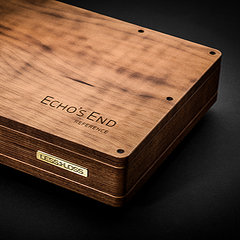
Because DACs are often the top unit in a system, the design for the top of the DAC 2004 includes a hand-inlayed brushed and anodized aluminum placard. This is a little extra luxury for the sake of beauty.

Let’s turn it around.
The DAC 2004 standard features include balanced and unbalanced signal outputs. The SPDIF input and Superclock output are also standard. For some applications, the Superclock can be ordered as Wordclock. 110 or 220 Volts Mains Power are configured by us prior to shipping. If in the future you would want to change the power voltage, it can be easily reconfigured by the owner of the unit.

Let’s see the guts.
The LessLoss DAC 2004 has a hybrid power supply. After much evaluation of all sorts of power supply solutions, this is the result: you can't beat a balanced battery power supply for the audio signal and you can't beat a well-filtered mains power supply for digital signals. There is power filtering before the transformer, after the transformer, and at every power leg of every IC. No short-cut has been taken anywhere. Even the batteries are selected for their lack of distortion, and then additionally shielded within the shield of the device itself.

The Batteries
The rechargeable batteries are quite large and heavy. This is what you'll be seeing when it comes time to change the batteries (in about two or more years). The shields for the batteries are removeable by two bolts for each battery. You unscrew the bolts, remove the shields and the batteries and then put in the new ones. It shouldn't take but 10 minutes. The electrical connections are easily visible and immediately obvious.
Usage
The recharging of the batteries is completely automatic. If you want to charge them immediately, you can press the Charge button. If you want to interrupt the charging process, you press the Play button. A completely automatic charge initiation takes place if you leave the unit on over night. In the morning, you will have a completely charged system and will be able to play music without a second thought. Many users completely forget that this device contains batteries.

No Mask -- Less Dielectric Distortion
Note that the LessLoss DAC 2004 circuit is completely maskless: it is not green or red as it would be using today's standard production methods (robotics). Because of the meticulous production method we employ, we control the entire soldering process and make sure that no unintentional shorting occurs anywhere. This way, we avoid all undesireable dielectric effects of the mask which is always employed in robotic production methods.
Balancing short signal paths with wise circuitry.
The layout is extremely compact. A dual-layer circuit board is employed. Because this device is hand-built sculpture, even the exact dimensions of all of the parts including the losses due to the actual lengths of the various legs are incorporated into the layout. The digital ground is galvanically separated from the analogue ground, and the integrated circuits and other numerous components at the bottom of the circuit board (not visible here) are extremely well shielded from interference. Only top quality parts are used throughout the DAC 2004.

Solid Silver
The carefully formed, pristine audio signal is carried to the outside of the DAC via solid silver wire, using only the dry air of the interior of the DAC as dielectric. The audio signal passes through only 5 top quality discrete components (7 for balanced) before it exits the device. No capacitors are used in the signal path. This signal path is only ~4.5 cm long to minimize loss and undesired induction.

Distortionless Volume Control
As an option, the customer can choose an integrated 21 discrete position volume control, which is a manual shunt-to-ground volume control located after the DAC chip but before the output stage, resulting in a customized output level at every turn of the switch. This enables direct output to active loudspeakers or a pair of mono amps for the least possible loss in signal integrity.
Hybrid Power
The DAC 2004 features a hybrid power supply which, together with the galvanically separated digital and analogue grounds, makes the best power supply method available for both the digital and analogue circuitry. The double shielding of the batteries protects the analogue power supply from parasitic frequencies. Because the analogue ground is galvanically separated from the digital ground, distortion is kept to within the limits of the DAC chip.

Thank you for your interest in the LessLoss DAC 2004!
We take much pride in our work, and are always seeking ways to perfect the State-of-the-Art. It would be our pleasure to serve you and share with you the joys of extremely high quality sound reproduction.

Features Overview
The LessLoss DAC 2004 MkII features the following main design attributes:
- Distortionless Volume Control Option Available
- Parallel multibit converters, not the inferior sigma/delta type.
- Hybrid power supply: two rechargeable batteries in balanced configuration, independent filtered power for digital.
- Two galvanically isolated grounds, one for digital, one for audio.
- Unrivalled, non-traditional ultra-low-jitter oscillator with superclock (256F) output.
- 192 kHz sampling rate supported.
- Built in automatic battery charger.
- Over 400 Parts, all top of their class.
- Unusual handcrafted topology.
- Practically immeasurable cross-talk between components.
- Jitter suppression via multi-staged(*) synchronous re-clocking.
- Separately filtered and regulated power supplies to each individual power leg of each microchip.
- 4.5 cm signal path from analogue signal source to external audio jack via solid silver conductors.
- Customizable.
- Laser-engraved stainless steel and aluminum housing.
- Faceplate available in black or silver.
- Introductory Price: 2995 Euros, at your doorstep.
What the DAC 2004 most definitely is:
- Completely handmade, hand-soldered, hand-assembled, tested, and personally cared for.
- An almost completely non-distorting masterpiece of sound electrical engineering.
- The best our knowledge allows us to create.
- Extremely underpriced as a method of marketing without running high debt.
What the DAC 2004 most definitely is NOT:
- Mass-produced.
- A trendy and well-marketed piece of average quality audio gear.
- Distributed through distributors and resellers, raising the price.
PCM 1704
Among the several aspects which constitute D/A audio signal converter performance is the converter microchip itself. We carefully studied the available technologies and then, only after narrowing down the choices to only the four theoretically best choices, we built a device for the sole purpose of comparing these four technically best converter chips. In our device, all conditions were the same for all converter microchips.
The method LessLoss used to evaluate the sonic differences between these four microchips was as scientific as possible. We used electrostatic loudspeakers and headphones (almost massless) in order to minimize loudspeaker coloration of the signals. The opinions of highly regarded audio enthusiasts and professionals were unanimous. These tests showed that, at least subjectively, the PCM 1704 was easily the best.
Converter Chip Technology
We provide two links, one to the manufacturer of the PCM 1704, and one directly to specific data on this microchip.
- Burr-Brown
- PCM 1704
- What the hi-fi magazine Stereophile had to say when the chip was first introduced. (No, we aren't fortunate enough to be able to buy them in the thousands, and no, we don't use the cheaper version, the PCM1704U.)
- The PCM 1704 is out of production and represents the end of the era when quality was first on the minds of DAC engineering laboratories. In today's production, all remaining DAC's are of the Sigma/Delta type. These incorporate more technologies into one chip, including two channels for stereo, volume control, upsampling, and often even clock oscillators of their own. Production costs have been saved, but the issue of quality of sound reproduction is no longer the primary issue.
Many people do not know that the PCM1704 is classified into different categories of perfection. There is the PCM1704U, which is the least expensive and worst lot. Then there are better ones, which are marked PCM1704U-J and PCM1704U-K at the factory. We would like to stress that the LessLoss DAC 2004 uses only the best and most expensive PCM1704’s. We have chosen the best converter and then use only the best lot of these converters.
There is a fundamental difference between the way parallel multibit converters and the sigma/delta type work. The parallel type use a separate cascade of resistors and switches for each dynamic modulation of the audio signal, whereas the sigma/delta type (or one-bit, as they are also called), rely on a constant comparator to define changes in the audio signal's dynamic magnitude. Each method has its own advantages and disadvantages.
The main advantage of multibit conversion is that they are theoretically less susceptible to the influences of clock jitter. Their main disadvantages lie in their sensitivity to the influences of heat fluctuation.
The sigma/delta microchips have the advantage of being less sensitive to heat fluctuations, however, they react very readily to any amount of clock jitter.
We compared, using the scientific method of 'same thermal and electrical conditions', the Burr-Brown PCM1704U-K (parallel), the Analog Devices AD1862N-J (parallel), the Crystal CS43122 (sigma-delta), and the AD1955 (sigma-delta).
Of course, on the theoretical level all of these microchips are superb. Nevertheless, some differences are evident:
- Parallel multibit converters display a distortion spectrum which is more friendly to the ear. This distortion spectrum falls off at a lower frequency than it does in sigma-delta converters.
- At the lower dynamic levels, parallel multibit converters produce a much more esthetic sound than sigma-delta converters.
- Parallel multibit converters produce less sound coloration, and hence the sound is more natural, more lifelike.
- Details and microdynamics are more readily audible using parallel mulitbit converters.
Our empirical tests showed that these differences are indeed audible and that Burr-Brown's PCM 1704 is the very best converter chip in existence today. Earlier achievements in quality such as the legendary PCM63 have been bettered by the PCM 1704.
We provide a picture (300Kb) of the test device used to make this crucial and maximumly objective sonic evaluation.
Hybrid Power
A very important issue relating to the quality of a DAC is its power supply. Even a household washing machine has a power supply filter of some sort. Most DAC or CD player manufacturers incorporate a similar or slightly better approach to power supply filtering. Then there are the few who go to the extreme in the "capacitance race". The results are costly, but are they the best possible?
LessLoss, in our goal of achieving the best possible solution, has experimented extensively with the most radical power supply filtering methods. The result of this is a realization of the fact that a real-time power supply filter can never approach the quality attained by the filtering of power using the chemical means of rechargeable batteries, except in the digital realm.
Battery Power Supply
It is widely known that wide spectrum frequency interference causes intermodulation distortion in any audio amplification system. Purifying the power voltage from this wide frequency spectrum 'trash' is the goal of the power supply filter. However, in doing so, it also must not bottleneck the current flow to the amplification circuit. Excessive use of capacitance is the traditional solution to this problem. Other extreme solutions include running multiple transformers in series. These are highly costly and impractical solutions. Even when using battery power, some electromagnetic induction of high frequency interference occurs. However, as the amount is small, it is effectively filtered via the use of a small value capacitor.
Advantages of Battery Power
- A battery is a source of direct current voltage. Using the alternating current of the city mains means not only rectifying the current using a diode bridge, but also filtering it using a large capacity electrolytic capacitor and voltage stabilizer. Even then some amount of undesirable pulsation enters the schematics, and these pulsations include a vast array of harmonics all the way up to the mid-audio bandwidth (about 1 kHz).
- A side-effect of diode bridge rectifiers constantly turning on/off is that this results in undesirable switching interference of a rather wide spectrum. (For this reason there are all sorts of solutions such as "soft recovery" diodes which aim to lessen this problem.)
- Diverse interference enters the mains via sources such as electric motors, microwaves, vacuum cleaners, etc.
- A diode within a diode bridge bears similarity to a diode detector in a radio receiver which turns radio frequency broadcast material into audio signals. If the DAC is to be used near a strong radio signal source, then that parasitic signal can enter the DAC's schematic.
Relay Circuit
The LessLoss DAC 2004 uses a multiple relay circuit to charge the batteries from the city mains while the device is not in use. When the user presses the Play button, the relays switch the mains power to the charging schematic off. The relays totally galvanically isolate the audio schematic, including the ground. This frees the DAC 2004 audio schematic from any and all influence resulting from mains interference. This could include your microwave oven, your CD player, or even your local radio station.
The digital section, on the other hand, actually benefits from wisely filtered mains power. In earlier designs, we did incorporate a separate battery for the digital section, but as our newly developed mains filtering solution clearly outperforms any battery solution for digital schematics, we have since abandoned the use of battery power for the digital section. Thus, the DAC 2004 presently employs a hybrid power supply based on a highly filtered mains power supply for the digital section and a balanced battery power supply for the analogue section.
Low Frequency Performance on Batteries?
It is often feared that low frequency performance is hampered by the use of battery power. This is probably due to widespread faulty circuit topology, but certainly not due to the batteries themselves. The DAC 2004 includes two separate batteries. They provide balanced power to the analogue schematics. These are the requirements for the best starting conditions for the cleanest operation of the audio signal schematics.
25x the Theoretically Necessary Current
The fully Class A battery power supply is constantly supported by 25 times the theoretically necessary current. This results in an operational time between battery charges of approximately 10 hours. When the batteries are low, the onboard automatic battery charger circuit automatically applies a trickle charge to the batteries. You can listen to music non-stop with no interruption to playback. When you want, you can press the Charge button and have the unit mute playback and charge the batteries overnight when you are no longer listening.
By pressing the Play button, the user may choose at any time to prematurely interrupt the charging process and commence playing before the batteries are fully charged. An adequate trickle charge remains, ensuring that the unit never cuts off the music.
Best Possible Performance Over Time
The charger begins charging the batteries before they run down. This prolongs their life and guarantees the same level of performance from them throughout their lifetime. Indeed, many users completely forget that this is a (partly) battery-powered unit!
Galvanic Ground Isolation
After every effort is made to ensure that the power supply is as free from high frequency interference as possible, it is important to draw our attention to the inner workings of the schematics themselves. Here, too, because of the potential interaction of the digital and analogue schematics, care must be taken to ensure that we encounter no loss of quality.
Because LessLoss strives to achieve only the best possible solution, care is taken to separate the digital ground from the analogue ground. This is necessary because the digital input portion of a DAC acts as a mini transmitter of high frequency electromagnetic radiation. Not due to design, but due to the inherent properties of the high frequencies themselves.
Electrically and Galvanically Isolated Grounds
Although many DAC designers are most likely aware of the issues involved in ground contamination by high frequency devices, often times these aspects are deemed too costly to overcome, and, hence, they are either ignored or dealt with in insufficient ways.
As in the concept of battery power, LessLoss seeks the solution deeming the highest quality performance. This solution is found in electrically and galvanically isolating the digital and analogue grounds from each other. Only the rarest DAC design of high cost and commitment incorporate such a solution. Perhaps only two such manufacturers exist.
High Frequency Radio vs. Low Frequency Audio
The digital input section contains a lowest jitter high frequency oscillator running at several MHz. This high frequency behaves differently than a low frequency audio signal. Every milimeter of distance that such high frequencies travel, and every component or voltage that these frequencies pass by locally on their way around the circuit influence them. In turn, they also influence their surroundings, in effect acting as radio transmitters propagating this signal.
Because this frequency is desired at one, and only one location within the analogue schematics, care must be taken to isolate it at every twist and turn it takes. In the DAC 2004, you can see the transitional section between the digital and analogue schematics clearly.
Please do not confuse our solution with the typical solution of simply putting the digital schematics on their own circuit board and connecting the various circuit boards with a bus-type cable. This is one of the worst Jitter-inducing methods since the bus is an antenna. That's why one sees various player upgrades with aluminum foil or copper foil covering the bus connections. The best method is not to incorporate this lossey distance into the design in the first place. In the LessLoss solution, both the digital and analogue circuits are on the same circuit board. There is no electrical or galvanic connection between the two, deeming the least ground contamination in the analogue circuitry.
Low-Jitter Oscillator
The problem of Jitter in digital audio conversion can be understood when you think about Fourier synthesis of a square wave. A square wave is made up of an infinite number of harmonics. So, to generate and to transport something even close to a square wave running at 33.8688 MHz, you need to have completely controlled electromagnetic circumstances well up into the multi-Gigahertz region (for true-to-life quality even up to infinity). It may be argued that timing Jitter is born of the very noise inherent in any electromagnetic space, and this includes a complete vacuum just as it includes a brick and mortar wall.
Realizing this, the makers of the LessLoss DAC 2004 minimize Jitter by means of synchronously re-clocking the digital signal at crucial stages along the path that this highly sensitive signal must travel. This is necessary because no digital signal is immune to the multiple sources of Jitter, which includes the passage of the signal through the noise inherent in the nature of electromagnetic space. The less Jitter, the better the audio. So we want no Jitter. In order to avoid a jittered signal, a low-jitter Master oscillator is required, which is built into the DAC 2004 and located as close to the actual converting components as possible.
Lowest Jitter Clock Oscillator
The digital input section of the LessLoss DAC 2004 contains an extremely low jitter high frequency oscillator running at 33.8688 MHz. The heart of this low jitter clock is the high quality quartz oscillator. The pure and predictable voltage given to drive this component is key to its practically jitterless functioning.
We use a very high quality analogue quartz sinus generator which is later turned into a square wave digital signal by means of a super fast comparator chip. In this way we achieve the best possible results.

This is Jitter as it might be depicted in a low budget Hollywood film. Highly oversimplified and very black-on-white, this serves to show visually that Jitter is a distortion of the time domain. The best method of overcoming Jitter is to minimize the distance between the oscillator and the converter chip. Any piece of semi-professional digital audio equipment is capable of running in both MASTER and SLAVE modes.
- Digital MASTER means that the device is running off of its own internal clock. The distance between the converter chip and the oscillator is small (internal wiring only).
- Digital SLAVE means that the device is running off of yet another device's internal clock. This means that there is an external cable bringing the clock signal from the external piece of equipment (the Master) to the Slave. However, this clock signal needs to be extracted from the complex digital signal containing not only the clock but also the changing audio information itself, whose irregularity also introduces jitter.
Perhaps the worst problem with using an external DAC in conjunction with a common household CD player is that the CD player is always the Digital MASTER. Although the LessLoss DAC 2004 outperforms most any DAC even in SLAVE mode, the truly highest performance is obtained while using the DAC 2004 in MASTER mode.
Less Loss Leads to Hi-Fidelity
There is a clock output from the DAC 2004 which enables the user to slave an external digital source such as a CD player or digital sound card to the DAC (provided the soundcard has a superclock 256F input). In this way, the source digital player, or signal provider, is locked to the ultra-low-jitter clock from the DAC. The converter chip (the PCM 1704) is also locked to the very same clock. Because both source and converter are both locked to the same clock, Jitter is maintained at extremely low levels.
In order for a household CD player to function in this way, it must be modified. Only a few commercially available models exist which can run in slave mode. These players are among the most expensive in existence. We provide you with information as to how to do this to an average unit but we will not accept any responsibility for the destiny of your equipment. It's easy [if you can solder]. There will be no further support offered from our part but we believe that there are plenty of experienced enthusiasts worldwide who would take the time to make this simple yet most effective modification.
Less Loss Leaves No Leaf Unturned
Because LessLoss is determined to minimize jitter to the lowest of possible levels, we go the extra step to re-clock (also known as quantizing) the digital data to near-perfect timing just a few millimeters before it enters the audio domain. (This image helps depict graphically what this process does -- green is where the signals should be on the graph paper, and red is where the signals are due to Jitter. The re-clocking slides them back into place.)

Sampling Rates
In SLAVE mode, all Sampling Rates up to 192 kHz are supported.
In MASTER mode, the typical Sampling Rate supported is 44.1 kHz with 33.8688 MHz or 16.9344 MHz outputed to the clock output for slaving a CD player to the device. However, upon user special request, we will accomodate all of the following sampling rates:
- 44.1 kHz
- 48 kHz
- 88.2 kHz
- 96 kHz
- 176.4 kHz
- 192 kHz
Full 24 bit resolution is supported at all frequencies.
Digital Deemphasis is supported at 44.1 kHz and at 48 kHz.
If the unit detects a different signal other than standard audio PCM input, such as Dolby Digital or dts, then the unit automatically mutes. These formats are not supported.
Unique Topology
Every wire distorts a signal to some extent. Every meter is made up of 100 centimeters. Every centimeter is made up of 10 millimeters. Every millimeter distorts to some extent.
The LessLoss DAC 2004 is designed to minimise every loss possible. The grounding and wiring technique used is much, much more than meets the eye.
Extremely Compact Design
Today's mass-produced electronic parts such as resistors, inductors, and microchips are smaller than ever. Their small size allows for more compact designs. When constructing a piece of electronic equipment, usually a robot is used. In order to be able to build the equipment, the robot requires certain conditions in the design. Among these is the need for a flat surface area with plenty of room for manipulation. The movements of the robot are standardized.
Robots Are Fast But Humans are Smarter
Because the goal of the LessLoss DAC 2004 is to aim for perfection in Digital to Analogue conversion, every effort is made to shorten the lengths of all crucial signal paths. Because there are so many crucial signal paths, the design is incredibly compact. The unit is assembled entirely by hand. We solder directly onto the legs of the integrated circuits. In some cases, we actually stack the components directly on to one another. In this way, we really do achieve the shortest possible signal lengths, which no robotic process can possibly achieve.
Another perfection we offer over mass-produced gear is the fact that we do not use a mask on the circuitboard. The mask is a sheet of chemical material added to the top of a circuit board which is usually either green or red. Audiophiles tend to agree that the red composition results in a somewhat better sound than the green type. The reason the mask is brought onto the circuit board is that, when a robot is soldering, the speed and accuracy of this process both have mutual trade-offs and this can result in solder being squirted over areas which might make undesired contact (a short circuit, for example). To avoid this, the mask is used to keep all cases of such occurrences from resulting in production faults.
We go all the way to the extreme and do not use the mask altogether. In doing so, when we solder by hand, we control the entire process and make sure that no unintentional shorting occurs. In this way, we avoid the undesireably dielectric effects of the mask altogether.
What going to the extreme means
Several of the microchips used in the LessLoss DAC 2004 MkII have legs which are only 1.4 mm apart. We hand-solder these microchips in a very special way, placing parts directly onto them at the most crucial signal paths. This is extremely difficult to carry out successfully and Vil is the only person engaged in this delicate process. Much of the work done on the DAC 2004 MkII is a completely forgotten art these days. The beautiful sound of the DAC 2004 reflects this during every minute of play.
The intricate work put into the hand made DAC 2004 is appreciated by all who listen. When we say shortest possible paths for all crucial signals, we really mean it, as this has a direct effect on the limit of quality attainable.
Good Topology Is More Than Short Signal Paths
Because everything affects at least something else in audio equipment design, short signal paths are only half of the story. For the very top possible quality, some components must be elevated to avoid dielectric effects, and others must be hyper-shielded. All of these details together make very audible differences and it is the combination of all of this plus our extensive critical testing with both audio material and test signals which results in what was we consider the present state-of-the-art.
Volume Control Option
We seek the most desirable type of volume control. Would it be a passive preamp? An active preamp? Would it be digital? Analogue? Discrete? Perhaps a potentiometer? What are the losses involved in adjusting the volume level? Can these losses be completely overcome and avoided altogether? Do we really need pre-amps? All of these questions are answered here.
LessLoss now offers a completely distortionless volume control option integrated into the DAC 2004. We would not offer it if we weren't sure that it represents indeed the best possible solution to the problem. To adjust the pristine signal of the DAC 2004 by any other means is a compromise. We offer you this information so that you may find out how it's done correctly.
DAC 2004 :: The analogue output is already pristine.
In the DAC 2004, the signals for the analogue outputs at the back of the unit are accessed from the circuit board via very short solid silver wires suspended in mid-air. Between these silver wires and the very output legs of the Burr-Brown PCM 1704 converter chips are only 7 top-quality components (5 for the unbalanced RCA outputs). The purpose of these components is to transform the output of the converter chip from a signal composed almost entirely of current swings to one composed almost entirely of voltage swings. This is known as I/U conversion, or the output stage. In the case of the balanced outputs, the signal is also balanced to provide near-lossless signal transfer over a distance of cable. Please note that the DAC 2004 has absolutely no capacitors in the signal path from DAC chip to external plug.
The other purpose of the output stage is to provide the desired voltage level to the output signal. In home hi-fi applications this is usually 2 Volts RMS, but it can be adjusted during the manufacturing process to whatever desireable level is needed for the given application. This can be any level up to 4 Volts RMS. This involves changing a couple of resistors.
DAC 2004 volume control :: What are the options?
Once the output level is set via the above stated shunt-to-ground resistor, it corresponds to the maximum volume level. Volume controls usually lower the volume level to acceptable listening levels. This can be done in various ways.
In the digital domain prior to D/A conversion.
This is the worst way to control volume level. You not only loose bit-depth of your signal, you also introduce rounding math errors, and ultimately reduce the signal/noise ratio of the actual conversion process. You do not utilize the DAC chip in its best operating conditions, and receive a distorted output signal as a result.
In the analogue domain after D/A conversion.
This is much better. We not only use the original bit-to-bit digital sound signal, we are also using the DAC chip to its full potential and are receiving the closest possible reproduction of the original soundwave which was encoded into the digital domain.
In the analogue domain, we have the following choices:
With active components in the signal path.
All active components need a power supply. Adding components with their own power supplies to an already pristine signal only in order to lower the volume level will inevitably add distortion due to the interference that the power supply carries. Even if the power supply would be ideally clean, then the losses would be equal to the losses incurred by the active components themselves, such as resistors and transistors, which would be placed in the signal path. This could also be a potentiometer used with a linear amplifier.
With passive components in the signal path.
Passive components, such as resistors or transformers, when placed in the signal path, affect both the level and the quality of the signal. No transformer has a completely linear behaviour, especially in the low audio frequencies. Quality discreet switches always have a more exact contact than any type of potentiometer.
With passive components not directly in the signal path, but shunt-to-ground.
This is the best possible method of volume control, and this is the method we utilize in the DAC 2004. This is a passive buffered shunt-to-ground volume control, with 21 discreet positions, with nothing directly in the signal path. This type of volume control does nothing other than switches the very output voltage of the output stage of the DAC 2004. The load on the output leg of the DAC chip remains exactly the same for all volume levels, however the output level is adjusted before the output stage. The DAC 2004 without volume control has an output buffer set at any level the user desires. However, the volume control option allows the user to actively choose the very output level which is desired.
If you use an external processor such as an external volume control (for some reason), you simply leave the DAC 2004 volume control at the highest level of the volume knob. The significance of this is: by using our volume control, it would be the equivalent of customizing the DAC 2004 to a special output level at each click of the dial. This is normally done by changing the value of the resistors used by means of the soldering iron. It is the very best possible volume control, because nothing whatsoever (not even a millimeter of silver wire) is added to the signal path, and in effect you would have not only the exact same sound as without any volume control whatsoever, but you'd have it at the very listening level you desire.
The best solution means, quite simply, the least loss.
No external type of volume control can compete. We have tested with/without the volume control and it is impossible for us to measure any difference between the version with soldered resistors (schematically set output level) and the addition of switching contacts to achieve the variable output signal level. In fact, outboard volume control is worse already by logical conclusion of the following, even if the outboard volume control itself were completely utopian:
Count the minimum number of parts that the signal must pass through: A cable connector at the preamp. A plug at the preamp. Internal wiring in the preamp (using plastics, guaranteed). Internal unbalancing schematics (in the case of balanced signals) at the preamp. Active or passive volume adjustment in the preamp. Balancing schematics. More internal wiring, an external plug. Another connector to the cable which goes to the power amps.
In our solution all of the above are bypassed. You have the possiblity to run direct cabling from DAC to power amps, which, ideally, should be placed directly next to the loudspeakers.
What power amps are compatible?
The input impedance of the amp used in conjunction with the DAC 2004 with volume control option can be anywhere from 10K - 100K Ohm. The input sensitivity can be from 1V - 4V.
Headphones Supported
Headphone connection.
The DAC 2004 with volume control is perfectly suited for use with electrodynamic headphones from 250 Ohms upwards. For example, the legendary Sennheiser HD650. The original cable will not do because of its low quality and because of its connecting jack. The DAC 2004 has two XLR balanced outputs which should be used with headphones. The wiring schematic is as follows:
DAC output XLR pin 1:
Connect it to the shield of the headphone cable.
DAC output XLR pin 2:
Connect it to the signal "+" (smaller pin) of the HD650 headphone cable.
DAC output XLR pin 3:
Connect it to the signal "-" (larger pin) of the HD650 headphone cable.
The shield of the headphone cable is not to be connected at the headphone end. It should be left floating at the headphone end. The more you shield, the better it sounds.
Output Level?
We can add level to the standard DAC 2004 to accomodate the levels you'd like. Email us and we'll work out what's best for you.
Specifications
When an engineering team is presented with the parts budget for a device they are constructing, they are forced to make many compromises. Even though, remaining within the budget, they choose the least possible compromise, several of these small compromises together result in perhaps a fairly good solution, but by far not the solution that was initially envisaged by the engineers.
LessLoss engineers have the advantage of total freedom in every choice of componentry and design. The DAC 2004 is the exact realization of their initial componentry wish list. LessLoss employs only such components which lead to the best possible solution. Is the price too high to pay for such noble components? At LessLoss, such questions are never raised.
DAC 2004 :: Specifications
- Signal/Noise Ratio: better than -120 dB
- Frequency Response : 10 Hz – 20 kHz +/- 0.2 dB @ 44.1 kHz
- THD+N @ 0 dB: 0.0009% [@ 1 kHz, A weighting]
- THD+N @ -20 dB: 0.006% [@ 1 kHz, A weighting]
- Analogue Out Level: 2V RMS (other levels available upon request)
- Main Power: 220 or 110 V, 25 W
- Batteries: 2 x 12V: 1.8 or 2 or 2.2 Ah
DAC 2004 :: Physical Specifications
- Unit Weight: 8.5 kg
- Unit Width: 44.1 cm
- Unit Height: 6.4 cm
- Unit Depth: 25 cm
- Outer Packaging Dimensions: 60 cm x 40 cm x 40 cm
- Weight Including Packaging: 9 kg
- Shipping Origin: European Union
Holistic Philosophy
The entire LessLoss CD Playback System consists of the following:
- LessLoss DAC 2004 MkII with Volume Control Option
- LessLoss S/PDIF digital coaxial cable
- LessLoss Digital Clock cable
- C.E.C. TL-51X transport, in slave mode to DAC 2004
- LessLoss Dynamic Filtering Power Cables
- LessLoss Firewall Power Filter
This is a lot of stuff, and all of it has only one goal. The goal is preparing the perfect conditions for the mono PCM 1704 (obsolete) converter chips which were the most technologically advanced and expensive to have ever been created. These have never been utilized to their full potential, until LessLoss created the DAC 2004 MkII.
The circuitry of the DAC 2004 MkII is already created with the goal in mind to annihilate all possible Jitter, which is known to be the primary source of distortion in digital equipment. However, this is not the end of the story when seeking the ultimate of all ultimate solutions.
One must at this point view the entire digital playback system holistically, because every other component or cable has influence on the sound as well. Most of this is Jitter related. It is brought about by induction into cables or by feeding power into the gear which contains high frequency noise.
The LessLoss system is completely noiseless, and on this silent backdrop is capable of bringing forth the most pristine analogue signal from the digital domain. We do not offer anything which is viewed as an accessory. Although we strive to lower costs for our customers, they will always find the LessLoss solution to bring about the very best results possible. Other solutions, be they filtering devices, power cables, or digital cables, will always leave something to be desired. That is why our best offer is the holistic offer -- where each and every component works in tandem to yield the very best possible performance of the conversion process itself. And when this is done properly, there is absolutely nothing 'digital' left in the sound, and one is free from any listening fatigue. Relaxation and pleasure remain the final emotions experienced. Forgiving amps and loudspeakers are no longer needed, as there is no harshness to round out.
At this level, instead of fine-tuning a sound, one simply rejoices in having perfect focus on a dark and silent background.
One of our favorite reactions so far has been "I cannot tell whether my equipment is on or off. I am no longer even concentrating on that. My mind is now free to completely savour the music, which is all I ever intended to do in this hobby from the start. Thank you so much for your achievements, Liudas and Vil!"
Digititis Explained
DAC 2004 :: Myths and Misconceptions about CD Players and DACs.
(Please make sure you are acquainted with the term Jitter in the context of CD transports. For beginners, we recommend the Stereophile article entitled A Transport of Delight: CD Transport Jitter written by Robert Harley in 1993.)
In the 80’s, people spoke of experiencing "no air" and "aggression" while listening to digital recordings. Today we understand the principles which are fundamental to this phenomenon, we name it Jitter, we test it, calculate it and dress it with numbers, systemize it and describe it entirely. Jitter has always been and still is the worst enemy of the digital audio format. And today it is fully understood. Jitter can only cause loss in audio quality at the A/D and D/A conversion process. Nowhere else is Jitter of any significance to the quality of digital audio.
If no digital volume control or processing is present, all digital sources have the same digital information coming out of the digital output. To appreciate the truth of this, we suggest reading this fine article by Professor Kelin J. Kuhn (right-click and 'save as' onto your computer).
For those not mathematically inclined, the problem of Jitter in digital audio conversion can be understood when you think about Fourier synthesis of a square wave. A square wave is made up of an infinite number of harmonics. So, to generate and to transport something even close to a square wave running at 33.8688 MHz, you need to have completely controlled electromagnetic circumstances well up into the multi-Gigahertz region (and theoretically even up to infinity). It may be argued that timing Jitter is born of the very noise inherent in any electromagnetic space, and this includes a complete vacuum just as it includes a brick and mortar wall.
Fact: Digital audio data is 'just' 0's and 1's. There may be many formats (.wav, .aif, CD-audio) but the information is still digital. There is no loss during format conversion, provided the formats don't utilize compression.
Fact: Copying CD's (if they aren't damaged physically) is a lossless procedure. You can extract CD-audio with your computer and generate a file on your hard disk. Compare this file with the file created when you extract the same audio using a $30,000 player, the resulting two files are identical. This is proven by countless mathematical experiments and by HEX comparison programs.
The question which naturally arises out of this paradox is: why does the $30,000 player sound better?
At the Digital Out of a $100 CD-player we have the same 1's and 0's as we do in the $30,000 player. The only difference is in the Jitter content. The presence of Jitter means that the data (the 1's and the 0's) is not perfectly time-aligned, but is transmitted either slightly earlier or later than it should be in the ideal case. However, this time flaw is not as great as to cause a digital error (data fallout). But to our analogue ears, this translates into the harsh distortion we call "that digital sound."
Jitter is not a digital error.
Now if you know that, then you must ask: so how does the expensive CD-transport justify its price? Ah, Jitter. The cheap ones shake and the expensive ones don't.
Well, that's partly true. The entire audio business of CD transports and DACs is built on the totally backward setup of the CD player containing the Master Clock and the DAC being the Slave. This results in an entire pallette of innovations and experiments to lessen Jitter, starting from air drives to expensive digital cable technologies with complex math to reduce line-induced Jitter, to very carefully filtered power supplies, to all sorts of other things when striving to achieve the least possible Jitter. So we have the worst possible digital scenario resulting in the worst possible starting point to achieve jitterless signal transfer, because it is impossible to annihilate Jitter when the CD player is the Master Clock. If you're looking for quality, this is stupid, to say the least!
The whole setup should be different.
As is the standard case in any pro-audio studio, it is always the converting device, the DAC, which contains the Master Clock. The clock is located right next to the converter chips. That way, no added line induced Jitter can possibly appear. This same clock signal is then taken from the DAC device and is used as the clock input of the digital signal source device, such as the computer, the DAT player, or the CD player. True, in that setup, the CD player is receiving a more jittered clock than the DAC is, but that doesn't matter, because the DAC is the one doing the analogue audio playing which we hear. When the Jittered audio signal arrives at the DAC, it is reclocked and synchronously quantized into place temporally and is played, in perfect synchronization with the original clock oscillator, which is right next to it.
But oh! In that case, you can use a $30 CD-player and still get a better sound than you'd be getting if you spent $30,000 on the best transport and digital cable! Yes, this is the plain truth about CD players and DACs. Their Master/Slave relationship is backwards and their prices therefore have become high due to design flaws regarding jitter avoidance.
Another aspect which is often completely misunderstood is that all laser reading mechanisms are digitally perfect, even if they cost but $30. They all have Jitter when the information comes off of the CD. But the information is always there, and it is always correct (unless of course there are big scratches or holes in the CD). Digitally, a $30 mass-produced CD-Rom at 52x does exactly the same job in a few minutes as a $30,000 transport does in real-time.
If you don't believe this, then all you need to do is digitally record your favorite tune from a $100 CD player into your computer (provided you have a soundcard and software that doesn't add yet more lies into the equation, which is often the case, so beware!) Then borrow the most expensive CD transport you can get your hands on and repeat the experiment. The resulting soundfiles aren't just similar, they are identical! This is not a theory. This is proven by much experimentation and mathematics.
But the $30,000 player does indeed sound better! How do you get a $30 player to sound the same? The first and most important step is to slave the transport to a DAC which is the Digital Master. That's it. This simple step alone is worth half the price of a $30,000 transport.
How to Slave a CD Player
Just about any professional studio gear utilizes the proper Master/Slave relationship between digital source devices and converter devices. We did not invent it. The reason it works is that the master clock for the entire system is as close to the converter chip as possible. This is the single most effective way to accomplish jitter-free audio reproduction.
LessLoss would like you to know why some digital gear sounds bad. The reason is mostly Jitter. To avoid Jitter, you need to make your CD player slave to the DAC 2004. This is a very simple procedure. It is true that some companies charge up to $20,000 for the exact same thing you can do to any $30 player for (almost) free.
How to Slave your CD Player to the DAC 2004
The CD or DVD player needs to have a generator (clock oscillator) of the same frequency which is used in the DAC 2004. We ask that our clients open up their CD player and check what frequency their clock runs on. If your frequency is one of the following, then you can use the DAC 2004 in Master Mode, which means you can run your CD player in Slave mode (the best possible way).
Here are the frequencies you should look for:
- 11.2896 MHz
- 16.9344 MHz
- 33.8688 MHz
If you have any of these frequencies on your clock oscillator, let us know and we will customize your DAC 2004 to run in Master Mode in conjunction with your CD player. Any other frequencies are presently not supported.
In essence all you need to do is desolder and remove the quartz resonator from the CD player, and where one of its legs were, solder on the end of the middle conductor of a coaxial cable (any old coaxial cable will do, but LessLoss also offers ready-made digital cable of the highest quality if you are interested). The shield of the cable should be soldered to the closest ground in the CD player you can find.
To determine which leg contact to connect the cable to, sometimes you can do the following experiment:
- Turn off the CD player. Unsolder and remove the Quartz Oscillator.
- Turn on the CD player. Touch the end of a screwdriver to one of the contacts where one of the legs were. See what happens. Then let go of the contact. Then try the other contact. See what happens again.
- Whichever contact gave the most activity from the player, i.e. motor started turning, changing speeds, the laser motor started adjusting itself, etc. That's the contact you want to use for the Master Clock cable.
On some players, the experiment described above is not enough, since both contacts seem to have the same effect. In that case, it is highly likely that both contacts will work, but one of them will sound better than the other. This depends on the brand and model of CD player. There are so many of them that it is impossible to list all possible scenarios, but your ears easily show you the way.
That is what you need to do to slave your CD Player to the DAC 2004. The other end of the coaxial cable is to be connected to Clock Output of the DAC 2004. This will lower the Jitter amount at the DAC by a very substantial amount, and it is possible for any audio enthusiast who has experience in soldering to carry this out.

A slaved CD player.
When our clients send us the required photos of their CD player, we draw on them to help them see where and how to connect our superclock signal cable.
Even better results.
It is possible to achieve even better results. For the very best possible digital playback, additional power filtering is necessary. In conjunction with this step, a fully synchronous reclocking schematic can be added into the CD player itself. This requires more expertise in electronics than the average audiophile usually has. Testing equipment is necessary, and building custom schematics is needed. We can carry out this special modification of your CD player. Shipping back and forth is not always the best solution. We can also offer the full customization of a new mass-produced CD player.
Soldering Enthusiasts :: Make a CD Player and Slave it to the DAC 2004
You can get some ideas and inspiration from here. But make sure the quartz frequency is one of the three mentioned above. We have our theory that 16.9344 MHz is the best.
If you have questions please contact us.What Slaving Does
To measure jitter, we use the same method that the Hi-Fi magazine Stereophile uses for their testing. An example of their measurement method can be seen here. The method is described in detail in this paper by Julian Dunn. The signal used is a 11025 Hz sinewave at -3 dBFS added to a square wave at 229 Hz at -90.3 dBFS. In Hexidecimal numbers, this signal translates to: “C000 C000 4000 4000 (x24) BFFF BFFF 3FFF 3FFF (x24)” repeated again and again.
When you examine the signal around the 11025 Hz peak, the peaks at 11025-n*229 Hz and 11025+n*229 Hz result from data-induced jitter. The peak-to-peak jitter can then be roughly, but only roughly, calculated from these peaks by the formula presented in Dunn's paper. Due to the limitations of analogue to digital conversion resolution and noise, the precision of this method is limited to a comparison and an estimate of the jitter content of around 40 ps (picoseconds peak-to-peak).
DAC 2004 and CD Players :: Measuring Jitter Performance

The total jitter is the sum of this value for all peaks. Adding up only the highest peaks gives a good estimate of the total amount of jitter. Based on this, here is a list of approximate jitter values:
- -100 dB = ~500 ps
- -110 dB = ~180 ps
- -120 dB = ~60 ps
- -130 dB = ~20 ps
DAC 2004 :: Very Near Ultimate Perfection
The image below shows the typical scenario using a CD Player and high quality DAC in the traditional way:
- CD Player = Digital Master
- External DAC = Digital Slave
- Digital S/PDIF Cable Carries Digital Signal and Clock.

It is clearly evident that in this configuration the Jitter is worse than 500 ps.
The following image shows the typical scenario using a CD Player with a high quality clock upgrade, and whose external DAC is also slaved to the CD player, which is in principle the exact same scenario as above, only with a better clock. This is also the case when using a $10,000 transport with the best possible internal clock:
- High quality CD Player (or High Quality Clock Upgrade)= Digital Master
- External DAC = Digital Slave
- Digital S/PDIF Cable Carries Digital Signal and Clock.

It is clearly evident that this configuration achieves less Jitter at about 170 ps.
Now we modify the cheapest CD Player we can get our hands on (in this case a JVC model) and use the external LessLoss Audio DAC 2004 in Digital Master Mode. In this way, the Master Clock is in the DAC and the CD player is connected via two cables: the typical S/PDIF Digital cable and a Digital Clock cable. The results would not differ if you used a $10,000 transport with the best possible drive mechanism or other exotic features such as Housing Metal from Mars, etc.:
- Lowest Quality CD Player = Modified as Digital Slave
- External DAC = LessLoss Audio DAC 2004 in Master Mode
- Digital S/PDIF Cable Carries Digital Signal.
- Clock Cable (50 Ohm Coaxial) Carries Clock Signal from DAC to CD player.

You can clearly see that this configuration achieves the least possible Jitter at less than 60 ps. Due to noise resulting from the ADC conversion process, it is not possible using this method to make any judgement on anything less than around 50 ps.
However, to show what the absolute ideal case would look like, we have generated this simulation. It differs from reality in the following ways:
- Signal Cable = As Short As Physically Possible
- Digital Signal Level = Artificially Lowered to Achieve These Results
- Mathematical differences: using different bit depth

Again we stress that this last image does not reflect a physically measured case, but rather a case which would have less than ~30-50 ps jitter using the method described above, were it possible to measure the results in this way. We believe that the LessLoss Audio DAC 2004 is capable of this performance, using a customized, mass-produced CD player!
Common Myths in Digital
Myth:
You need a good transport to hear the best quality possible.
LessLoss Solution:
Nonsense! What you need is any average transport with a digital output. If no digital volume control or processing is present, they all have the same digital information coming out of the digital output. To appreciate the truth of this, we suggest reading this fine article by Professor Kelin J. Kuhn. (Please save it to your disk by right-clicking, as it might not open if you just click on it, as it is a zipped file.) The point is to slave the digital source to the Master DAC 2004. Additional synchronous reclocking reduces Jitter and no expensive transport is needed to achieve the top quality.
What this means for you:
The only difference you hear between a good transport and a bad transport is in the Jitter content. But the only reason you actually hear this Jitter content is because your transport is digital Master and your DAC is digital Slave. This is a backwards setup if you are looking for quality sound reproduction. The professional digital market knew this from the start. The consumer market promotes this as 'new technology' or 'prestigeous' and therefore very expensive.
Myth:
Delta/Sigma (one bit) converter chips sound better than parallel converter chips. They are a newer technology, and, therefore, they are more advanced and sound better.
LessLoss Solution:
LessLoss has scientifically analyzed the very best converter chips in existence and has come to the obvious conclusion that the Burr-Brown PCM 1704 is the very best converter chip in existence today.
What this means for you:
This means that you receive the very best sounding technology currently available. In other words, you receive the least audible distortion that a digital to analogue conversion process can technically achieve. Even if a delta/sigma converter might have less overall distortion, the spectrum of distortion it creates is worse than the spectrum of distortion created by parallel converter technology.
Myth:
A minimalist design such as the use of no upsampling or oversampling yields the best sound. The industry needs to return to the roots of simple design. Some companies are doing this and they achieve better results that way.
LessLoss Solution:
LessLoss made extensive test devices which allowed the comparison of several filtering techniques including the now ever popular non-filtering solution. The method chosen for production is to implement the following oversampling: 8x oversampling at 44.1 and 48 kHz = 352.8 and 384 kHz; 4x oversampling at 88.2 and 96 kHz = 352.8 and 384 kHz; 4x oversampling at 176.4 and 192 kHz = 705.6 and 768 kHz.
What this means for you:
Imaging is better, soundstage is more defined, there is less distortion of subtleties in the music signal, and you hear a reproduction which is unrivalled by all non-oversampling solutions.
Myth:
The best audio DACs have tube outputs and make use of transformers in the audio path. These DACs cost thousands of dollars and have been developed to deliver the most uncolored sound possible.
LessLoss Solution:
LessLoss believes that this method of output is used to effectively cover up other defects which are already at hand when a poor audio schematic is utilized. One of the worst problems is the fact that in these tube designs, rarely is attention given to Jitter reduction, or to the filtering of power supplies which are full of digital "trash" (undesirable high frequency signals).
What this means for you:
In the LessLoss system, there is absolutely nothing undesirable about the audio signal, since it is born under the most pristine of electrical conditions. You hear all of the details while hearing none of the digital artifacts that are usually hidden from you when listening to tube output devices with transformers. These units add more distortion to counter the tiring effects of an already poor analogue signal. The LessLoss analogue signal contains nothing but pristine audio information.
Myth:
I already have a $15,000 DAC. This LessLoss solution can't be any better at only one tenth the cost.
LessLoss Solution:
LessLoss doesn't set up shop in Hi-Fi trade shows and doesn't spend money on any unnecessary advertising.
What this means for you:
You get the best DAC this earth has seen for a reasonable amount of money.
Myth:
Battery power is a hassle. They are not reliable.
LessLoss Solution:
LessLoss developed an automatic battery charger which is incorporated into the device. Two batteries provide balanced power to the analogue section (the best possible method).
What this means for you:
You just press the "Charge" button when you aren't listening and the batteries will then be charged. Alternatively, if you forget to press the "Charge" button, when the batteries reach a certain low voltage, they begin to charge automatically.
Myth:
I'll be spending a lot of money on batteries.
LessLoss Solution:
At some point, the batteries will need to be changed. The unit is designed to play at top quality until this time comes.
What this means for you:
You will need to change the batteries in about two years if you listen to the unit every day. This is very easily done. If you can turn four screws, then you can change the batteries in the DAC 2004. These are standard sized batteries which you can buy all over the place. They're not expensive (~$10-$20).
Myth:
Batteries sound weak and don't deliver strong bass frequencies.
LessLoss Solution:
Two batteries provide balanced power to the analogue section. This is the best possible method of power supply.
What this means for you:
When you listen to the DAC 2004, you don't understand what's playing: a tape recording (the master tape?!), a record player, a piece of digital equipment?! The reason is that there is such an absence of distortion that you no longer hear any of the typical source distortion normally associated with playback equipment.
USB Audio and Computers
Using a Computer as Digital Audio Source.
We have carefully evaluated the top possible quality achievements when using a computer as digital source. The result is that a simply slaved CD player (not even synchronously re-clocked by LessLoss) outperforms even the most scrupulously slaved computer soundcard running directly off of the DAC 2004's SuperClock frequency of 11.2896 MHz. Using this SuperClock frequency, the 44.1 kHz audio sampling rate derivative is achieved through dividing this clock frequency by the exact round value of 256. Yet even in this mathematically 'clean' configuration, here is a list of known parameters inside the computer which all still have influence on the audible Jitter amount to be heard after D/A conversion, even using the top-quality LessLoss digital cabling and the syncronously slaveable LYNX soundcard.
The computer was P4 Northwood 3.4GHz, 512x2 MB DDR2 @ 400MHz, PCI CLOCK 33.3 MHz, ASUS P5AD2 925XE mainboard, Antec 550 PSU. Using Wavelab 5 with ASIO output at native 16 Bit 44.1 KHz playback, and Foobar 2000 player with Kernel Streaming output. Using only 44.1 KHz 16 Bit original files in the form of Wav PCM.
We made a custom Clock / SPDIF cable which was 30 cm long and went straight from the LYNX input/output pins directly to Eichmann Bullet RCA plugs. It was shielded in tightly double-wound large diameter silver plated copper. The original LYNX adapters were not used and there were no other cables dangling out of the LYNX connector.
Lightened Windows services:
Audible.
Probable reason -- less time-splitting of system operations
Increased memory timings to maximum smooth operation:
Audible.
Probable reason -- more consistent data transfer
Changing the card's DMA buffer size:
Audible.
Probable reason -- more consistent data transfer
Changing the audio software's buffers:
Audible.
Probable reason -- more consistent data transfer
Change the CPU frequency from 3.4 to 2.8 to 1.8 GHz:
Audible.
Probable reason -- less parasitic HF radiation
Changing the memory timings inside the BIOS:
Audible.
Probable reason -- more consistent data transfer
Playing the file from USB RAM drive instead of from Hard Disk:
Audible.
Probable reason -- less power supply spikes from Hard Drive
Playing the file from a deeply embedded folder instead of from top of directory:
Audible.
Seems to have same effect when file path name is maximum length, regardless of directory structure. Probable reason -- buffering issue, since the music playback software takes considerably longer to load the data prior to playback in these cases.
Filtering the PS of the computer:
Audible.
Reason -- Avoiding parasitic power supply fluctuations. This is just as important and audible in CD players and DACs.
Turning off the CRT monitor:
Audible.
Probable reason -- less HF radiation within the computer's schematics, and hence the audio card.
Unplugging all external devices, i.e. mouse, keyboard, monitor, etc:
Audible.
Probable reason -- less antenna effect, hence less HF radiation within computer schematics.
Even after all of these tweaks, the computer as source could not compete in clarity and low Jitter performance with a synchronously slaved run-of-the-mill NAD CD player. The DAC in all cases was the DAC 2004 with integrated volume control feature and all audio cabling and power filtering was LessLoss.
Further discussion regarding the audibility of computer parameters.
It is often falsely believed that parameters regarding only the digital domain do not affect the analogue results of the D/A process due to the fact that digital errors are neither introduced nor corrected by tweaking these parameters. The famous slogan for this school of thought is "Bits is Bits."
This train of thought is founded on the absence of direct experience and personal analysis of what Jitter at the D/A process sounds like. Nevertheless, we believe it is possible to appreciate the importance of Jitter reduction when seeking the highest quality digital-source playback even without direct experience with tweaking all of these parameters. We provide the reader with several thoughts about why these parameters do indeed lead to different discernable levels of quality after A/D conversion:
- A compact disc played back on different CD players which use different schematic layouts but almost identical parts can sound disctinctly different. Here we can appreciate the influence of a different schematic layout on the amount of Jitter-related distortion of the resulting analogue signal.
- CD players which use substantially different parts in only the digital schematics, but the same converter chips and schematic solution in the analogue schematics, also exhibit differences in analogue sound after conversion. Here we can appreciate the influence of the digital componentry on Jitter-related distortion.
- Desktop computers contain several sources of high frequency radiation. There are high frequency oscillators on the motherboard, on the soundcard, on the video card, and elsewhere depending on the specific computer configuration. All of these oscillators act as transmitters, transmitting HF electromagnetic radiation into the aether surrounding all the circuit paths located in the computer, and indeed into the very power supplies of the computer.
- The adjustable parameters such as memory allocation, buffer sizes, CPU speed, etc. are analogous to changing the physical componentry inside a CD player's digital schematics. Because most of this componentry is not programmable, the CD player is said to have "this" or "that" sound. CD players with SHARC processors are pre-programmed to manipulate the digital data streams in a specific way according to specific algorithms, resulting in the sound that the manufacturer of the player deems desireable. In this case the average user still does not have access to all parameters known to the manufacturer. Hence, again the CD player is deemed to have "this" or "that" sound.
- In a desktop PC situation, the computer is first and foremost a flexible platform for manipulating data streams. In this way, the user may wish to experiment with as many parameters of the streaming system he or she desires to. There are several discussions published on the web by experienced audiophile enthusiasts who have spent years tweaking their computers to obtain the sound they deem desireable. It is generally known in these circles that the deeper you delve into these parameters, the more one is struck by the audibility of their effect on the converted analogue signal.
- The only possible explanation to this phenomenon is that the timing of the data stream (Jitter) is being manipulated. It is known through attempts to quantify Jitter through mathematical statistical analysis of the converted analogue signal that the ear can hear Jitter amounts that on paper appear initially to be very insignificant. This shows clearly that it is not merely the amount of peak-to-peak Jitter that is significant to our ear's perception of its audible effect, but that its presence as an ongoing unstable phenomenon lends it its great distortive audibility.
- Also, throughout LessLoss's extensive experience with battling Jitter, it can be stated with authority that Jitter comes through a plethora of sources, and that this leads to a certain layering of the effects of Jitter, such that, when one successfully anihilates one source of Jitter, other sources with a lesser distortive effect become more apparant.
- Through the development and use of high-quality audio cabling, high quality power filtering, and customized electrostatic full-range loudspeakers, it is also known to us that several of the least significant layers of Jitter are not audible when one uses standard cabling or impure power supply voltages.
- We provide this information to those seeking the highest performance digital to audio conversion. It is the result of our experience and analysis, using the LessLoss DAC 2004 converter in Digital Master Mode, and using exclusively our signal cabling and power filtering technology.
USB Audio with the DAC 2004
We have developed a USB to S/PDIF converter for use with the DAC 2004 in slave mode to it. This device consists of a matchbox-sized connector, one end of which has an RCA connector to be plugged into the SPDIF input into the DAC 2004, the other end which has a USB cable which connects to your computer's USB output.
How does USB Audio sound with the DAC 2004?
It sounds much better than the standard CD Player / DAC setup when the DAC is slaved to the CD Player. It does not sound as good as a slaved (and synchronously re-clocked) CD player, but the sound is indeed musical and can be enjoyed even using very high quality electrostatic loudspeakers. There is little or no harshness, just that some of the true recorded detail goes astray. It is a very flexible solution for those seeking a quick and easy computer audio solution.
What sampling rates can be played back?
88.2 kHz or higher sampling rate is not supported. Anything lower is supported and no adjustments need be made, since the DAC runs in slave mode and locks to anything you send to the USB out.
What about software issues?
No driver installation required. You just plug the USB cable into the computer and the computer sees a new USB device. You can choose this device as playback device from your audio playback software.
The Price for the USB to SPDIF adapter?
195 Euros.
Frequently Asked Questions
Question:
A lot of people, especially in the DIY community, swear by the method of Asynchronous Reclocking (Asynchronous Resampling). Some say Asynchronous reclocking minimized differences between digital SPDIF cables. What are your feelings?
LessLoss Reply:
With Asynchronous reclocking, meaning that there are two master clocks involved, we experimented exstensively with the two best solutions on the market: the CS8420 and the AD1896A.
Asynchronous reclocking does make the cable differences smaller. That is true. But at the same time, it presents a clearly audible limit to the quality achievable by lowering Jitter. You are stuck with a sort of metallic sound which cannot be further improved upon.
Asynchronous reclocking is usually understood by the naive audiophile to represent the "magic wand" which solves all problems of Jitter in a digital system. Because of the general lack of knowledge, it is very easy for manufacturers using the chips CS8420 and AD1896A to market to the masses, and present this method as the ultimate solution. Asynchronous reclocking is far from the ultimate solution of Jitter reduction.
If you use asynchronous reclocking, you are continuously rounding out the digital audio stream to match the new clock. There is a threshold of incoming Jitter amount or type from where this is a good feature (it sounds better with asynchronous reclocking rather than without). But if your incoming Jitter level is LESS than that threshold, then the asychronous mathematical rounding process actually makes the audio worse, since there is a new type of distortion entering the data stream (this is not necessarily measureable Jitter, but the effect of these asynchronous processes on the original audio data stream actually encode a new digital stream with rounding errors).

Asynchronous reclocking vs synchronous reclocking in a high-res PDF file.
When you compare an incoming Jittered signal which has less jitter than the mentioned threshold for improvement via asynchronous means with the completely SYNCHRONOUS solution we advocate, things such as the following are much more readily heard in the audio:
- stringed instrument bowing direction.
- tilting of cymbols when struck and the beautiful play on phase one enjoys in reality because they tilt and sway according to the musical intent of the drummer.
- two string type of classical guitar (pure nylon vs. metal-wound).
- conductor's breathing, stomping of feet, turning pages
- pads of the saxophone machanics
- circular breathing technique by sax players
Things like this. Basically, there is a level of detail which is already recorded but which cannot be discerned very readily unless the reclocking which is being used is completely synchronous.
So, to sum it all up, yes, down to a certain Jitter amount, asynchronous reclocking, aka asynchronous resampling, does lower Jitter down further. But lower than this Jitter amount, asynchronous reclocking makes the audio sound like digital, without life, with a harsh texture and it makes a choir of humans sound like a synthesizer.
Most DIY-ers are not experienced enough to discern these two and blame the harshness on the recording, and still propagate Asynchronous Reclocking, or Asynchronous Resampling (same thing), as the best solution out there. But with Synchronous reclocking, there is a whole horizon of further quality achievable by further reducing Jitter, going down the path of unmarked territory what with all the vibration control theories, HF shielding theories, crystal structure resonance absorption, etc. etc.
But first you have to get your electronics right.
Question:
In your FAQ, or the PDF, I noted no discussion on how your slaved-CD/clock approach *differs* from ubiquitous I2S designs many DIYers are using. Can you elaborate?
LessLoss Reply:
Very often this comes up in marketing language in all the wrong places. What I2S is is a digital protocol (a digital signal) which is divided into three separate signals: clock, bit signal and sample clock (which denotes left or right sample). This is different from S/PDIF digital, which has the clock signal integrated into the data stream. Basically, I2S is another way of getting digital information from point A to point B. You may want to know that we use it in our design as well: from the S/PDIF input receiver to the oversampling chip. Yet another internal digital protocol is used from the oversampling chip to the DAC chip. I2S can indeed be used between a CD Player and DAC, and, if the DAC is connected in the standard way (when the DAC is slave to the CD Player), then I2S will outperform S/PDIF with regards to Jitter because it carries the clock along that third separate piece of wire. BUT, the prerequisite for this to hold true is that the digital cabling used is at least of the same high calibre. It is not true that using any three cables for I2S unbalanced signal transfer will automatically result in less Jitter at the DAC chip itself. Indeed, it can actually easily be argued that the Jitter induced in Clock extraction from SPDIF can actually be less than the Jitter induced by using three clock cables (which are all antennae). You raise the RF induction by three times the amount when using three cables in comparison to using only one well shielded one.
However, our solution by far tops even that solution, because what we do is we actually digitally slave the CD Player to the DAC, which is the only way to truly ensure that the Jitter which always comes from the CD Player's digital signal is quantized into place via completely synchronous reclocking to the original master clock just before the actual conversion process. I2S alone without reclocking cannot do this. Think of it as S/PDIF with three wires instead of only one. And please see 'The Digital Forest' for an explanation of how Slaving works and differs from other existing solutions. (You've probably already studied that page).
Here is some typical marketing language that many DAC manufacturers use:
> On I2S connection the digital signal is directly transferred to the DAC without jitter;
And our reaction:
Hmmm. Extremely interesting. The Master CD Player transfers the "digital signal directly to the DAC without jitter". Wow. Did you read that? They are saying that they have no jitter at the DAC! Would you believe that. Guess it is time for us to go bust, in that case... :-) Seriously, now, it's hogwash. When we say that every millimeter counts, we really mean it. Anyone who is serious in HF design knows this, even if they don't design high performance gear. In a master DAC solution, the synchronous reclocking gives you extremely high performance, and the clock is located just a few millimeters from the DAC chips themselves. Other features we offer such as galvanically separating the ground from the digital schematics to the analogue schematics and then feeding the analogue schematics from two balanced batteries offers a level of quality which dwarfs a simply slaved device with I2S.
Some people believe that they get a better sound through tubes. What they believe is that they are lowering Jitter. We don't. We believe that using no tubes and no transformer and using pristine balanced battery power is the best. For us, tubes color the sound and we have never heard a tube system which didn't sound like tubes (rounded sound due to harmonic structure of the distortion). Some people like this type of sound, but we don't. We feel it makes all recordings sound somewhat similar. This can be used to make the recording according to taste, but we prefer not to color the sound in our DAC. We prefer the lowest possible distortion using the best possible power supply and lowest Jitter. However, some people use tubes in their preamp and they are very happy with the result.
It is **harder** to get rid of all Jitter than to put on some tubes and smear the digital grain out of the signal. It is true that digital sounds harsh when there is jitter. It is extremeley difficult to get rid of all jitter. We are trying to work in this direction (see our digital cable development, and our unique power filtering solution).
i2s is a different format containing the same information as S/PDIF. It can be argued that by not converting to S/PDIF in the first place, that the Jitter amount of the data stream is kept low because no conversion of the format needs to take place in real time. Not all real-time process which are done to a digital stream must necessarily raise the Jitter amount. In our solution, we use synchronous re-clocking. We use this multiple times at crucial stages in the data stream from the laser pickup mechanism all the way to the very DAC chip, which is galvanically isolated from the rest of the digital ground of the converter (this is almost never done and differs completely from what is normally pictured to be two deparate PCB's with a bus connecting them, raised into the air and which actually does much more harm in terms of Jitter than good!) The conversion to SPDIF need not necessarily be jittery since the only real place that the Jitter amount is important, really important, is at the actual D/A process, since this is where the distortion of the audio signal is born. Otherwise there can be Jitter in great amounts and there is still no data loss at all. Just small timing errors. But if these are successfully dealt with before conversion, you'll never hear them. And it doesn't matter where and when they are dealt with. What's important is at the DAC chips. That is the holy altar, so to speak, the moment of truth.
The use of i2s is most audible if you use the DAC as slave to a digital source. In that case, since there is no possibility to re-clock the jittery data stream, it is better not to convert the data stream's format in the first place, but it is still very important to keep all sorts of other factors in order: constant impedance over the digital lines (i2s has more signal strands than SPDIF, which needs just one coax cable), high shielding effectiveness, good connectors, etc. So it is not so simple as to justify saying: "i2s is better than SPDIF". You can only say that on a certain system configuration, "i2s may be better than SPDIF", and that this system configuration is the one where there is no re-clocking possibility, and where the I2S digital cables are at least as good as the SPDIF cable.
The largest problem is not the method of transfer of the digital stream (LAN, wireless, S/PDIF, i2S, AES/EBU, TASCAM) but the amount of jitter in the oscillator which gives the sampling rate to your digital stream.
Remember that with a synchronous reclocking solution, most of the timing errors come from HF interference, not from data induced Jitter. If the cable is properly shielded, the other problem to deal with is the characteristic impedance so there would be no reflections.
The real quality lies in the clock stability management throughout the entire holistic solution all the way up to the DAC chips themselves, and the use of I2S can indeed be a useful step in that direction, but it is far from the only possible and necessary step for top-quality performance.
Question:
How about the analog output stage (I/V conversion and LP filter)? Does it use opamps or is it discrete? Is there an output buffer and what is the output impedance?
LessLoss Reply:
The LessLoss DAC volume control is a discreet shunt resistor type, and as the volume level is turned to minimum, the output impedance lessens to 0 Ohms; however, this is not crucial in this case, because later in the schematic, there is an output buffer, which has a constant (always the same for all volume levels) output impedance.
The I/V conversion is active and uses high quality opamps chosen by ear. The filter is a discrete design of Vil's and is very smooth, due to the oversampling used. The detail and quality of the signal are therefore very clean.
Poorly designed output stages have higher output impedances, this is true. When the output impedance is lower, the line cable has less influence on the sound quality. The DAC 2004 has an output impedence of a few Ohms. To be frank, we have not exactly measured this parameter. It isn't that easy to measure accurately. Please consider the following advantages and disadvantages of discreet transistor replacement for opamps. Be informed that we have tried this solution while developing the DAC 2004.
The pros:
If everything is well executed, the expected results should be a tad better than with opamps. It is possible to optimize the parameters according to what works best at that place in the schematics.
HOWEVER:
The cons:
One difficulty is that every single transistor must be chosen according to the needed amplification coefficient. There is an unavoidable temperature swing which affects the performance parameters. As this is a battery powered part of the DAC 2004, it was designed to be turned on and off for charging and the temperature stability during operation cannot be completely guaranteed. It becomes absolutely necessary to use capacitors in the signal path in the output. In our current solution we avoid this altogether, which leads to the clarity of the signal very comparable to that present at the very output legs of the converter chips. Through our long battle with Jitter we realized the importance of extremely short and controlled signal paths (all of them) for top performance, and using transistors would necessarily make for a larger circuit, many more components, a more complicated solution at the part where all we really want is the output to be present in pristine form in the cable. There would be many more soldering points up to our solid silver wires going to the conectors. And the worst thing is the caps in the signal path.
We would like to stress that everything possible is done to direct the outputs of the DAC chips directly out of the DAC 2004 unit, while taking all load off of it. It truly is as close to a cable-ending analogue source as possible (a few cm and that's all).
Let me just add that we have since upgraded the automatic battery charger so that a slight trickle charge is given to the batteries when they are low and this way, no automatic shut-off of the sound ever occurs, and you can choose to continue to listen even when the batteries are low and have been running for over 12 hours straight. The LessLoss DAC uses the same power regardless of the music signal (Class A design). No audible difference is perceived when the batteries are freshly charged or quite low (after 12 hours).
Question:
Aren't you being much too simplistic in your claim that all CD transports read the same data? Surely there must be more involved than just the Jitter differences. Support your claims!
LessLoss Reply:
The encoding of digital audio on CD's is done according to a standard called IEC 908. This is a highly complex combination of coding and interleaving operations which guarantee the correct digital information be read off of any copy of the disc. A high tolerance for errors is thus achieved. People generally mistake the presence of Jitter with the presence of digital errors. This is a false belief. If you are truly interested in why all of this is true, we recommend the following fine article by Professor Kelin J. Kuhn of the University of Washington (right click and 'save as' onto your computer).
Question:
I'm interested in slaving a computer soundcard to the LessLoss DAC 2004. What is the best way to do this?
LessLoss Reply:
If you want top possible audio quality, the DAC must be digital Master and the card must be Slaved to the DAC. That's the first and most important prerequisite.
To Slave a soundcard, you have two choices:
--> WordClock (This is a high quality solution.)
--> SuperClock (This is the highest quality solution.)
Only some high-end audio cards have the SuperClock feature.
In order for you to successfully use the DAC 2004 in Master Mode with a Slaved soundcard, all you have to do is get one which has both an SPDIF output and a WordClock input. We can then configure the DAC 2004 to output a WordClock (which is a clock which runs at the sampling frequency of the audio file being played) instead of our standard SuperClock (which is the ultimate operating frequency of CD players or soundcards, usually 33.8688, 16.9344 or 11.2896 MHz).
We've configured the DAC in the past successfully with several computers. Such a peripheral soundcard is available from, just for example, RME.
Almost every more serious soundcard manufacturer makes such a model with Wordclock Input (some are even PCI-based and you just put them into your computer slots, others have external boxes.)
People usually slave a computer (soundcard) to the DAC via a WordClock Input on the soundcard because such soundcards are cheaper. This achieves very good quality already. However, if you want the very top quality results from a PC and LessLoss, you can't get the cheapest soundcard.
Before you go on, though: take into account the following trade-off between full quality and full flexibility:
If you want *ULTIMATE FLEXIBILITY*, use the DAC 2004 in Slave mode to the output of any SPDIF device (no optical input supported in the DAC 2004, it has to be RCA). In this case, you don't need a soundcard with the WordClock feature. Also, you'll be able to play back ANY sampling rate up to 192 kHz in full 24 bit quality without tinkering with the DAC, as the switching of sampling rates will take place on-screen and the DAC in Slave mode will automatically lock to any sampling rate you give it from the soundcard.
Now, if you want the *FULL QUALITY* of the DAC 2004, then you must use it in Master Mode (you must slave the Soundcard which then must have the WordClock or SuperClock Input feature). Internally, inside the DAC, there are jumpers which need to be switched by hand to choose a different sampling rate when the DAC is Master. We wish to emphasize that if you will be constantly changing the sampling rate of the soundfiles you'll be playing back when the DAC is in Master Mode, you'll have to be constantly opening up the DAC lid and switching internal jumpers to switch the DAC to the sampling rate which is going to be played back. The reason we did it this way is because we strive for the top quality, and jumpers internal to the circuit board make for much less loss and much less jitter introduction then any sort of external digital switches.
So, if you are going to play back exclusively a selection of CD's grabbed into your computer (and, say, they're all 44.1 kHz), then you're set and will have no need to open the lid of the DAC. But if you want to grab and playback a mixture of DVD-Audio @ 96 kHz and other sampling rates as well, then it won't be all that comfortable to play those files back to back with CD material if the DAC is Master. You'd be opening the DAC lid all the time to switch sampling rates internally.
If you are looking for the top quality then we suggest something like LYNX.
This is an audio card which has the SuperClock (they call it '256 Word') feature. The jitter is much less than the RME Wordclock referred to earlier.
From RME's website:
"Devices using a common internal word clock PLL design often generate more than 10 ns of jitter. The WCM's PLL is jitter optimized and reaches typical 2.5 ns at 44.1 kHz."
Please take note that 1 ns = 1000 ps. Our clock has something like 10 or less ps. This is a borderline amount at the limit of measureability.
The extremely low Jitter of the DAC 2004 is one of the things we are most proud of. Although it would suppress the amount of Jitter mentioned above by a substantial amount, it is still wise to use, in conjunction with the DAC 2004, better equipment like the Lynx. This is only if you want top quality. This is indeed quite audible in good hi-fi systems. The difference is not so obvious in average to low-class hi-fi systems.
So if you want top quality, you need to have a soundcard with 256F SuperClock input. But if you want (only) very good quality, we can make a special DAC with WordClock output upon request. And if you want ultimate flexibility, you won't have top possible quality simultaneously. Please note, however, that the DAC 2004 comes with an internal jumper to manually switch between Master and Slave modes, thus allowing the user full control over the flexibility/quality ratio given the circumstances of use. (You need a small philips screwdriver to open the lid.)
Question:
Why not use a battery for the digital schematics as well?
LessLoss Reply:
We did use a separate battery for the digital schematics in the past, but the quality in sound reproduction can be even better by using a separately well-filtered power supply from the city mains. This has to do with the fact that in the digital schematics, unlike in the audio portion of the schematics, there is no provision for a balanced power supply. We still use two batteries in balanced configuration for the audio portion of the DAC 2004. But the digital section has no provision for balanced power (there are simply no parts that will use it) and the schematic therefore requires a single-ended power supply. However, what we do goes over and beyond what a typical battery-DAC can do, because we galvanically separate the digital section from the analogue section. This is the best possible solution to all problems of digital noise winding up in the audio signal. No battery can offer what galvanically separating the grounds in a DAC can achieve.
Question:
Why do some manufacturers stack two or even four converter chips per channel? Why do you not practice this?
LessLoss Reply:
The technical background you need to know is that at the audio output of a DAC chip you have a signal which is mostly current. The output stage of a DAC device always does something called I/U conversion. I/U conversion means conversion from current to voltage. You need to raise the voltage which comes out of the DAC chip. That's what I/U conversion achieves. Now, to carry out I/U conversion, you can do it actively or passively. If you do it actively, then the DAC chip's audio output leg is not under a load. But if you do it passively by means of an output transformer, then what happens is that the DAC chip's audio output leg receives a load. So one solution to overcome this is to use two (or more) DAC chips in parallel so that the DAC chips' output legs now generate a higher current (the curents are added). This higher current can then better handle the load presented by the transformer. This is the only reason multiple DAC chips are used per channel, regardless of what various marketing may state.
In the past, when the technology of DAC chips were limited to only 16 bits, this method also was used in order to better the linearity of the DAC chip's performance at low signal levels. However, this linearity issue is entirely moot now that DAC chip technologies have advanced to 24 bits. You may like to know that we have tried this method of stacking DAC chips. If you continue to add converter chips, then you run into distortion and noise due to overly complex design issues. The most elegant solution is to use one converter chip per channel, but to make sure it is the very best chip and to give it pristine, even ideal, electrical conditions to work under. This includes an active output stage of the best possible quality to keep all load off of the DAC output signal leg and to guarantee the best and cleanest possible I/U conversion.
Question:
The LessLoss DAC will *only* provide superior performance to a one-box player if the transport is slaved to it. This is not always possible, and requires the original player/transport to be modified, voiding any warranty. I still prefer the more elegant approach of the Benchmark [DAC-1], although the LessLoss is certainly *capable* of good performance if used with a suitable transport/player. Note also that the Benchmark is about half the price of the LessLoss DAC 2004 - assuming that it doesn't cost too much to modify your existing player/transport. The LessLoss also adopts a rather 'high-end' approach to its advertising on the website, being very long on 'audiophile' chitchat and short on hard engineering measurements. Compare and contrast with the Benchmark site, and note that several top mastering engineers use a Benchmark DAC-1 as their benchmark DAC for listening to final mixdowns.
LessLoss Reply:
The Benchmark DAC-1 uses the marketing term "UltraLock" to describe asynchronous resampling, which is the case when there are in effect two Master Clocks. The technology involved to perform this resampling has been around for some ten years or so. It is true that the results of asynchronous resampling are much better than the sonic results of using an external DAC as Digital Slave.
There are differences which should be emphasized between the Benchmark DAC-1 and the LessLoss DAC 2004:
(1) The DAC 2004 uses the parallel converter chip PCM 1704. This is guaranteed to sound better than sigma/delta chips.
(2) Power supply of the DAC 2004 uses two balanced batteries and a separate filtered power supply for all digital schematics.
(3) Galvanically separated Digital and Analogue grounds. We use special low-jitter chips of the type ISO150 and similar to achieve this.
In the test results displayed on the Benchmark website, the Jitter amount used as a test signal is varied. However, the Jitter amount which comes from a slaved CD player is constant. What's not mentioned about the "UltraLock" asynchronous resampling is: the compromise of running two clocks in tandem is that there are unpleasant audible artifacts due to inevitable frequency discrepancies between the two clocks involved. LessLoss can also offer this less perfect digital solution to anyone who wishes not to unsolder the quartz from their CD player/transport. However, it is always possible to go to a garage sale and just use a $10 player. The sound would be guaranteed to contain less distortion from the digitally slaved $10 player than from the asynchronously re-clocked $10,000 player. We could have coined a similar term such as "SuperSlave" but we prefer to use the proper terms used to describe exactly what's going on.
Question:
There is nothing mentioned [on the LessLoss website] regarding the filter function utilized with the oversampling. And I personally think that is far more important than the broad brush comparison of non-oversampling and classic oversampling. Most oversampling filters are windowed "sinc" filters, which blur time-domain resolution compared to non-oversampling DACs. But if [LessLoss] uses a more-time-resolute filter, the DAC could strike a happy medium between the time-smear of oversampling and HF modulation of non-oversampling.
LessLoss Reply:
Our experience with filtering techniques is based on the following experimentation (after having clearly asserted that the PCM1704 was the converter of choice):
1. No Oversampling. We used second and sixth order analogue filters in several configurations including solutions with transformers etc. after the DAC chip.
2. With Asynchronous Upsampling (When the Upsampling is synchronous, i.e. all timing comes from the same generator, this would be in effect the same thing as oversampling). In this case we used Asynchronous Upsampling, meaning that there were two master clocks involved. We used the CS8420 and the AD1896A (best on the market today) chips.
3. With Synchronous Upsampling. (this time with everything timed off of the same generator, so in effect this is oversampling). We used the CS8420 and the AD1896A chips.
4. Using the Oversampling filters DF 1704 and DF 1706.
5. Using the Oversampling filter SM 5847 (best mass-manufactured on the market today).
6. Using the Oversampling filter PMD100 (good, but works only with 44 and 48 kHz).
7. Using Upsampling to 96 and 192 kHz calculated via computer processing.
Our experience using all of these methods is as follows (some of this is subjective as a matter of course):
1. Both Upsampling and Oversampling always resulted in better sonic resolution and detail than without the upsampling.
2. Without Upsampling or oversampling the sound is perhaps 'softer', but the obvious presence of intermodulation distortion results in a more 'muddy' or 'non-detailed' sound.
3. The SM 5847 filter sounded better than all the others except the one we emulated using a complicated algorithm on a computer.
4. The DF 1706 sounded almost exactly the same as the SM 5847, but is much more efficient (uses much less power from the power supply). This means that it also adds much less pollution back into the power chain. For these reasons we utilize this filter in the DAC 2004.
5. We were dismayed by Asynchronous Upsampling. It was unpleasant to listen to the 'muddy' sound and the interpolation or other such by-products of frequency beating. This was especially audible when we switched to clean balanced battery power.
6. CS 8420 should not be used at all. The sound was simply bad.
7. This aspect is perhaps the least known amongst audiophiles today. Oversampling filters are VERY sensitive to Jitter. If, for example, you have a low-quality transport as digital master and an external DAC which uses oversampling as digital slave, then in this case, oversampling is guaranteed(!) to lower the fidelity of the sound. Where this solution really shines is when there is almost no Jitter. In this special configuration the DF 1706 does truely represent the highest quality attainable by known methods.
8. Now, for the absolute utopian wish-list, it is probable (but not yet proven either correct or incorrect) that a better oversampling filter could be realized by using DSP processors like the Analog Devices "sharc" processors or similar. However, this would be difficult to realize at the price level we are selling at. Also, it is probable that the sound quality improvement would be considerably less than present sonic differences between certain copies of the same CD material.
Question:
It seems to me that external DACs are just another way of justifying the purchase of expensive digital cables. Wouldn't it be better if the DAC were located in the same enclosure, right next to the CD Transport? Wouldn't the cables then be shorter than 5 cm and the signal therefore less jittery?
LessLoss Reply:
It would be "better" only in the sense that it would take up less space in your listening room. If you mean "better" in the sense that such a solution would indeed distort less and (perhaps) even be less expensive, we must let you down. For, in our solution, because so much attention has been paid to isolating the digital from the analogue, if our DAC were to be found under the same electromagnetic screen (i.e. the metal box of the CD player) as the CD laser mechanism itself, the motors and other high frequency electronics within the CD player would actually harm the sound quality by means of ground contamination and (if the ground contamination were solved via separate power supplies) even direct induction into our DAC circuitry. The best possible method is to house both the DAC and the player in separate enclosures with separate power supplies, which is already the case when you use a slaved CD player and external, independent DAC. In terms of screening, it is evident that if the reclocking employed to annihilate jitter of the digital signal is adequate, it is far more important to screen the DAC circuitry itself than the jittery transport mechanism. All transport mechanisms are jittery. The way to raise the quality of the timing is to synchronously reclock the digital stream. The quality of the reclocking is most important.
Question:
Unfortunately, the explanations on your web site don't make any sense to me. Granted I'm not a signals engineer - but to be realistic, if you are going to sell me your product based on its technical merits, I need to be able to understand them. Could you explain exactly why this statement is true? "When the Jittered audio signal arrives at the DAC, it is quantized into place temporally and is then played, in perfect synch with the clock oscillator, which is right next to it." I understand that you are sending the master clock signal from the DAC 2004 out to the transport via a cable. This cable, being a real-world devices and not a perfect signal transmitter, will introduce some jitter into the signal, no?
LessLoss Reply:
Absolutely correct. Our clock signal is largely jitter-free (on the order of only 10 ps perhaps). But yes, you are correct. Any cable will introduce jitter into the signal, and the longer the cable, the more jitter there will be.
Then a second cable sends the digital output of the CD player back to the DAC. Won't this cable introduce yet more jitter?
LessLoss Reply:
Yes, again, you are absolutely correct. The second cable carrying the SPDIF signal from the CD player is quite jittery.
Do they cancel each other out somehow?
LessLoss Reply:
Yes. Our solution is Setup #4 (Digital Master Mode, 8x Oversampling, Single-stage Synchronous Reclocking). In the picture depicted on the webpage mentioned above, you can see schematically that the oscillator, largely jitter-free, is located right next to the Oversampling chip, and is located in the DAC enclosure itself. The fact that the Oversampling chip is being timed by the very same Master Clock that the rest of the system is running off of means that when the jittery SPDIF signal arrives at the Oversampling chip, its now (very) jittery clock signal is in effect "thrown away" and replaced by the new, non-jittery original clock signal! Do you see now that this is a totally synchronous process?
Not to add to your confusion, but to be complete, I must simply let you know that there is more electrotechnically involved than meets the eye, but in general the concept as stated above is correct. We know that even in this setup, some amount of jitter can still come through, and that is why we go to such great lengths regarding the hyper-shielding of the digital lines. Also, provision of additional synchronous reclocking at other stages of the digital signal also help, but this is not the main issue. The method as described above (synchronous reclocking) is the best possible method of reducing jitter and minimizing the effects of distance the digital signals have travelled.
Not only distance adds jitter to the digital signals. The turning CD and laser mechanism also adds an amount of jitter.
Question:
Perhaps my problem is that I don't really know where jitter comes from. Could you make a list of potential sources of jitter, and then describe why they simply disappear with your solution?
LessLoss Reply:
First, you need to know that Jitter is not distortion. It is only a cause of distortion, and this distortion only happens at the actual Digital to Analogue conversion process, when the digital signal becomes the analogue signal. Before the actual DAC process, Jitter can be present without causing any digital fallout (actual loss of information). Timing errors in digital signals are always tolerable up to a given threshold. However, to our analogue ears, the threshold of tolerance is much much lower than to a digital system (a computer).
Here's a list:
Jittery, cheap clock oscillator
--> Ultra-low Jitter Clock oscillator only a few centimeters from the actual DAC process, which takes place after a totally galvanically isolated analogue ground and run on the cleanest power supply on earth (balanced batteries). A pristine environment for the conversion process to take place.
Vibrations of the CD and reaction of the high-frequency analogue feedback circuitry to this vibration
--> Synchronous reclocking using the low-jitter clock within the CD player and within the DAC.
SPDIF transmitter
--> Synchronous reclocking using the low-jitter clock within the DAC.
Electromagnetic interference caused by radio waves in the aether
--> 10 extremely tight shields on the digital cables.
SPDIF receiver
--> Synchronous reclocking using the low-jitter clock within the DAC.
Distance for all digital signals in the DAC circuitry
--> Absolutely shortest possible signal paths. If this 400+ part DAC were manufactured by a soldering robot in standard production manner, it would have to be designed to be at least 3x as large, and if everything were on one side of the circuit board, it would then be at least 5x as large, which would mean there would be more jitter at the DAC chip during conversion.
Power supply noise
--> The DAC 2004 filters the power directly before the power transformer, directly after the power transformer, and it is separately filtered and regulated at every single power leg of every single integrated chip, giving power supply noise no chance to induce jitter into the system. Plus, the DAC is in its own enclosure, safe from noise induced by the windings of the various motors of the transport mechanism.
Question:
Why don't you just buffer the digital output of the CD player and then clock it out as required? This way you would "play" (convert) a second (depending on the depth of the buffer) behind the display of the CD player, but who cares about that? Wouldn't that solve all the Jitter problems?
LessLoss Reply:
A four second buffer has indeed been created by Chord Electronics. If this were the ultimate Jitter reducing solution, the product would have surely been the solution to end all solutions. Obviously the issue is not only one of a large buffer holding data. Even with an enormous buffer the size of an entire CD, the sound after conversion will still depend primarily on the quality of the oscillator which times the buffer, regardless of size. If the real-time operation of the oscillator is less than perfect, so will the audio be. The quality of the oscillator is dependent on a plethora of factors, including even slightest power supply fluctuations, interference, shielding, the very schematic solution of the oscillator, ground contamination, etc. This problem must be seen holistically in order for the jitter-reducing solution to be most successful. On a theoretical level, a one - two bit buffer is all that is needed when the system we advocate is completely synchronous. We have found that reclocking before (in the CD player) SPDIF and after SPDIF (in the DAC) is beneficial. Still, the digital cables must be well-shielded for lowest jitter. We are distilling our theory in practical experimentation that the size of the buffer is of less significance than its quality and the minimum possible Jitter of the master oscillator, all in a completely synchronously timed system.
Question:
Your web site includes too many "hand waving" arguments to convince me of the truth of what you are saying.
LessLoss Reply:
We do hope to have made a few eye-opening statements. You know, there are a lot of people out there who still think that jitter is not such a big problem, or that it is something that we just have to live with. What a wrong attitude! Then they put vacuum tubes and transformers all over the system and aren't capable of hearing the horrible jitter artifacts because the signal is then swamped with other types of distortion. Such a solution is very popular indeed, and perhaps that is why you may feel that our position is "hand waving."
We really do stand by what we say. Please keep the questions coming, and we will provide the answers to the best of our ability. We understand that the State-of-the-Art in audio reproduction is precicely the maximum avoidance of all types of distortion, not the coloring and tailoring of sound to a "taste" or "fasion." That is what the art of music itself is for.
Question:
Do you also make A/D converters?
LessLoss Reply:
Although we have made custom A/D converters in the past for quite a few recording studios and individuals, we now concentrate all of our effort on perfecting the D/A process. During the course of our work with digital audio conversion, it has become painfully obvious that the quality not yet achieved by high performance D/A conversion by far outweighs the quality not yet achieved by high performance A/D conversion.
Question:
You state that the DAC 2004 supports a sampling frequency of 192 kHz. The converter chip you use, the PCM 1704, however, seems to provide only 96 kHz (at least according to my research on the web). Can you help me out of my confusion?
LessLoss Reply:
You need to evaluate a parallel DAC chip such as the 1704 together with the method of oversampling used in conjunction with it, because in this type of chip, the oversampling is not integrated into it, as is the case in Sigma-Delta type chips. The PCM 1704 can handle sample frequencies of up to 768 kHz.
We implement the following oversampling:
--> 8x oversampling at 44.1 and 48 kHz = 352.8 and 384 kHz;
--> 4x oversampling at 88.2 and 96 kHz = 352.8 and 384 kHz;
--> 4x oversampling at 176.4 and 192 kHz = 705.6 and 768 kHz.
The higher numbers you see above are the actual frequencies at which the DAC chip is running!